The full tour
Everything the map does.
Grouped the way your week actually runs: plan the turf, work the doors, run the crew, talk to each other. Every feature below is live today — nothing on this page is a mock-up.
Plan the turf
Fair patches in minutes, not evenings.
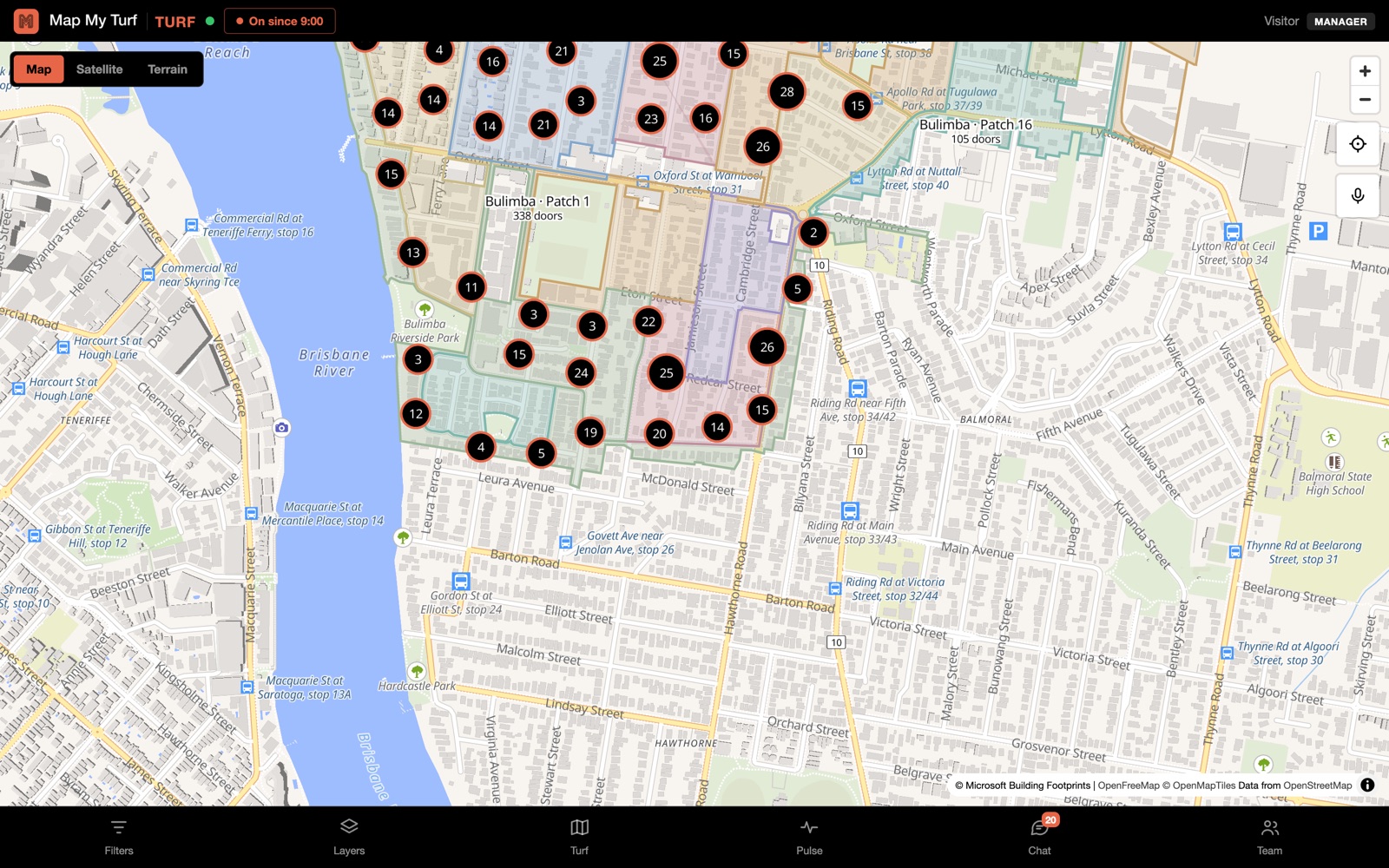
Split a whole suburb along real roads
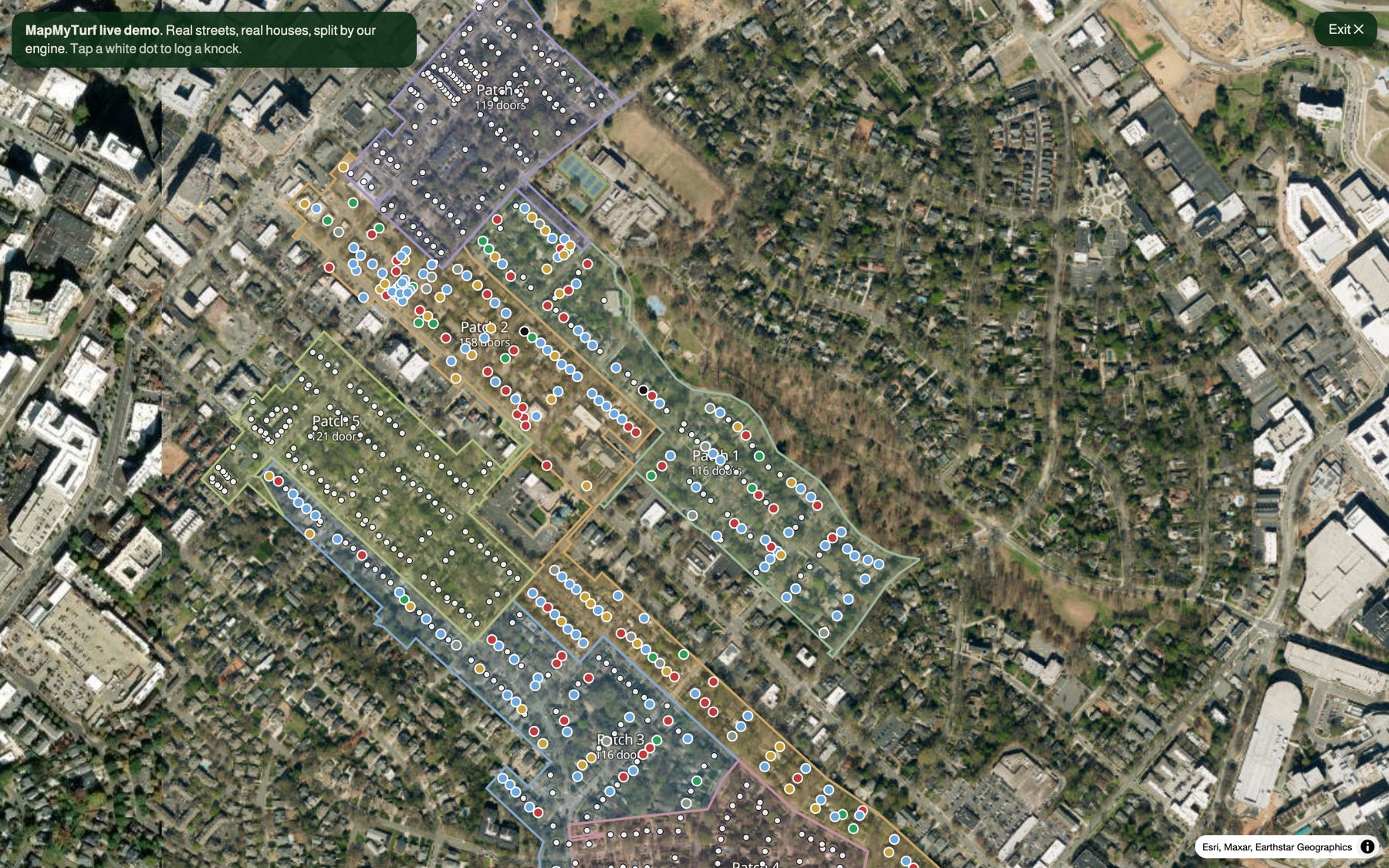
Type a suburb or postcode and the engine cuts it into balanced, walkable patches. It thinks in street blocks, not grid squares:
- ✓Both sides of a street stay together — a rep works a street, not half of one.
- ✓Cul-de-sacs are never cut in half — one court, one rep.
- ✓Parks, schools and creeks are never turf — no patch is mostly grass.
- ✓Pick your patch size — ~135 doors is the default; set your own target.
Real door counts from official address data
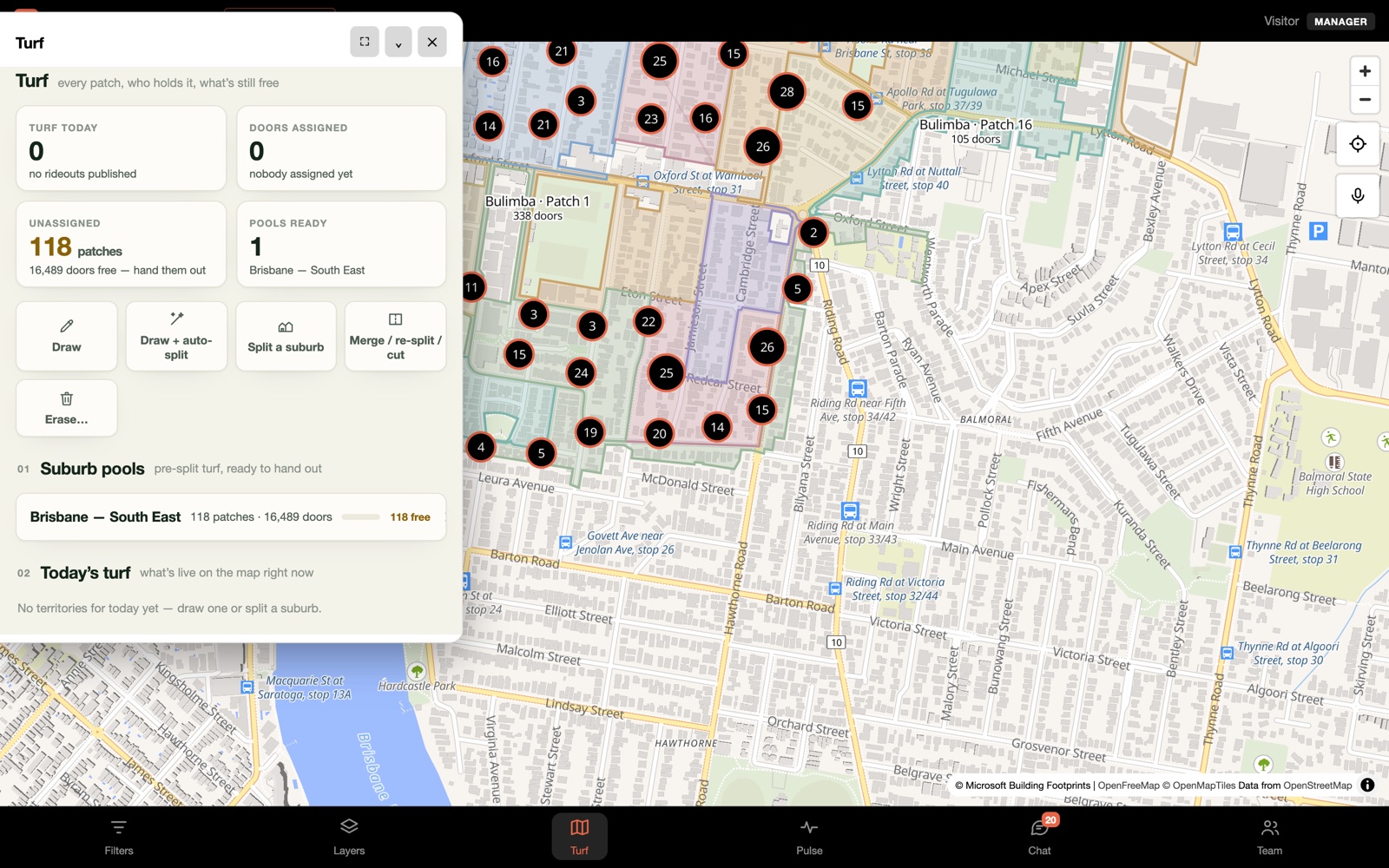
Every patch shows how many doors are actually inside it — counted from G-NAF, Australia's official address database, and the National Address Database in the US. Over 14 million address points sit under the map, each one snapped to its rooftop.
- ✓A "150-door patch" means 150 letterboxes, not a guess from area.
- ✓House numbers on the map — zoom in and the numbers are just there.
- ✓Draw an area, watch the count — the door tally updates live as you drag.
Plan the week with days and colours
Stamp patches with a day of the week and the map colours them by day — Monday turf wears greens, Tuesday blues. The whole week reads at a glance, and every rep knows exactly where they stand on any morning.
- ✓Merge and re-split anytime — tap two patches into one turf, or re-cut an area at a new door target. The map is never final.
- ✓Split across teams in one go — publish today's crews and divide an area between them evenly.
Work the doors
Two taps per knock. Or none — just say it.
Log every door in two taps
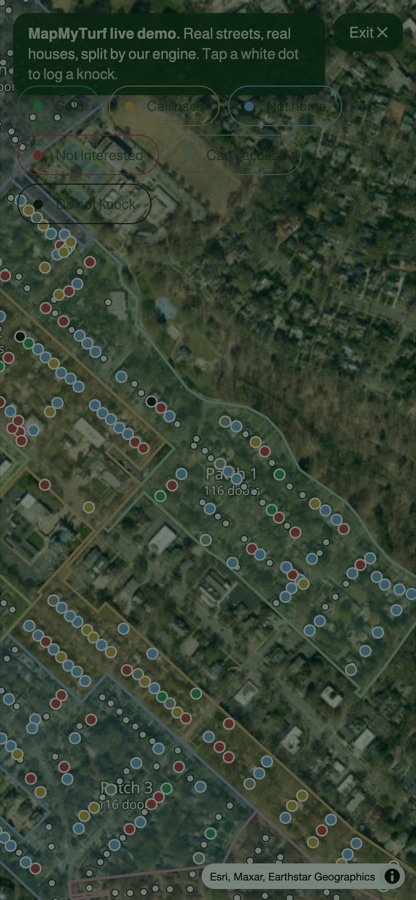
Tap the house you're standing at, pick what happened. Sold, callback, not home, not interested, can't access, do not knock — six outcomes, colour-coded on the map. Taps snap to real addresses, so number 54 is number 54.
- ✓Notes and return times ride along with any knock.
- ✓Wrong door? Fix it — move a pin to the right house, honest data beats tidy data.
Say it, don't type it
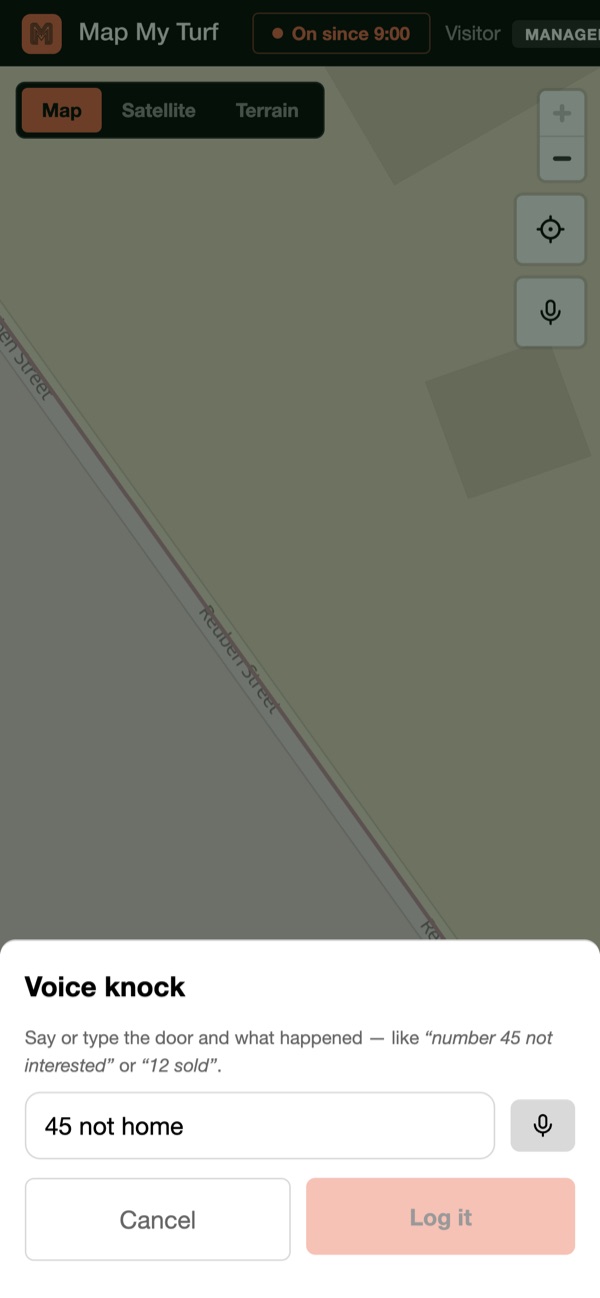
Tap the mic and say “number 45 not interested” — the app finds number 45 near you, shows a preview, and logs it on your confirm. Gloves, clipboards and rain stop being data-entry problems.
Callbacks that keep themselves
"Come back at six" becomes a reminder on the rep's phone that fires even with the app closed. Clocking off with callbacks still open gets a warning, so doorstep promises stop slipping through the cracks.
Second laps that make sense
Going back over turf? Filter the map to just the doors worth a second knock — say, callbacks and not-homes rested at least 60 days. Filtered-out doors grey down instead of vanishing, so the street stays readable while the lap's targets stay lit.
Run the crew
Live dots, honest numbers.
A live map tied to the clock
Reps appear as moving dots with their initials — but only while clocked on. Break or clock-off and the dot disappears on the spot. Location sharing is part of the shift, not surveillance, and the crew knows it.
- ✓Shifts and breaks tracked — who clocked on, worked, rested.
- ✓Park-the-car pin — clock on and the app drops a pin where the car is.
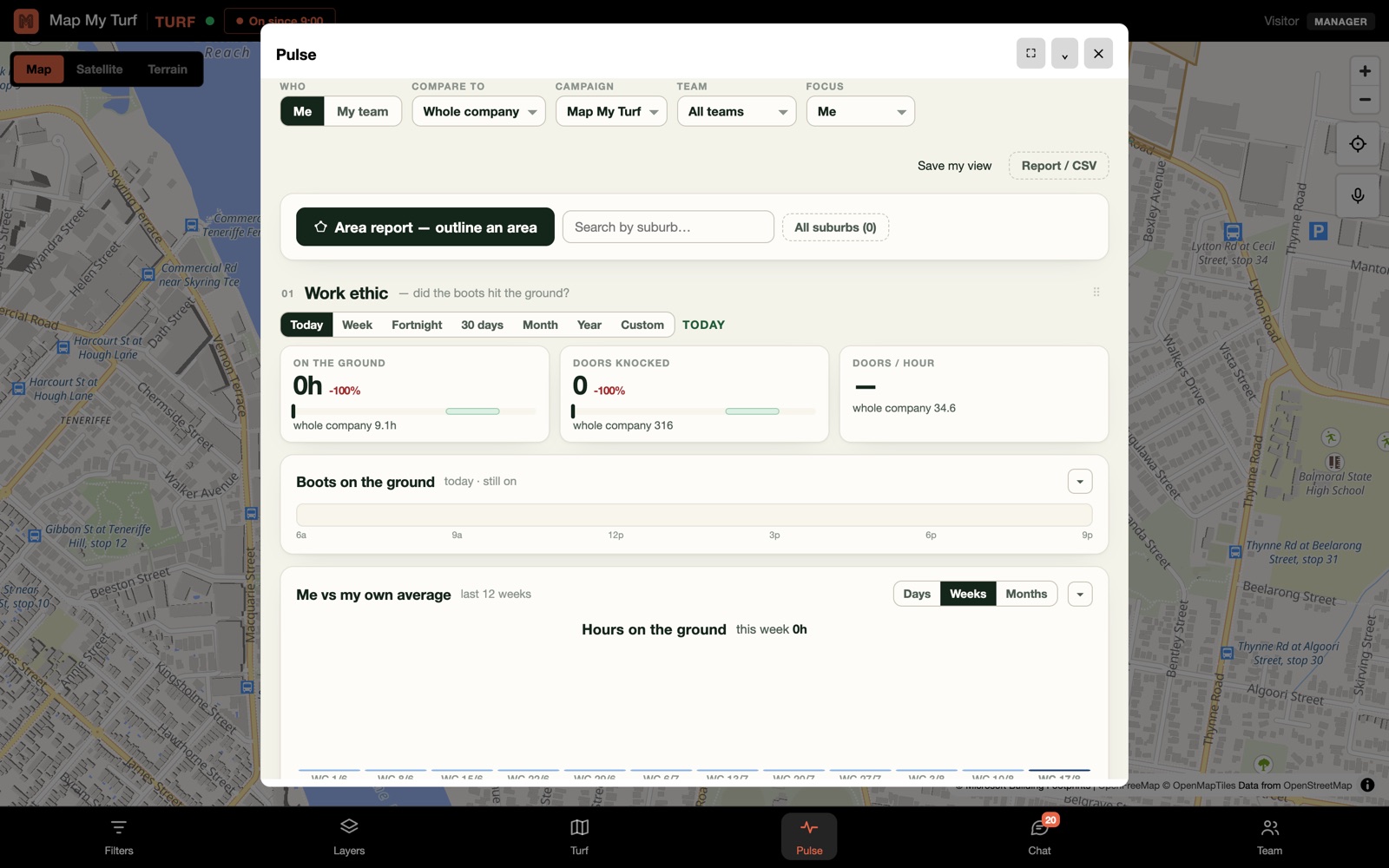
Pulse: the day at a glance
Doors knocked, outcomes, the leaderboard — for any day, team or rep. No spreadsheets, no end-of-day phone-around; the numbers are just there because the knocks were logged where they happened.
Invite the crew in one paste
Paste a list of emails and everyone gets a sign-up invitation. Existing accounts join instantly; new people land in your workspace already on the right team with the right role.
Talk to the crew
The team chat lives where the work does.
A proper messenger, not a comments box
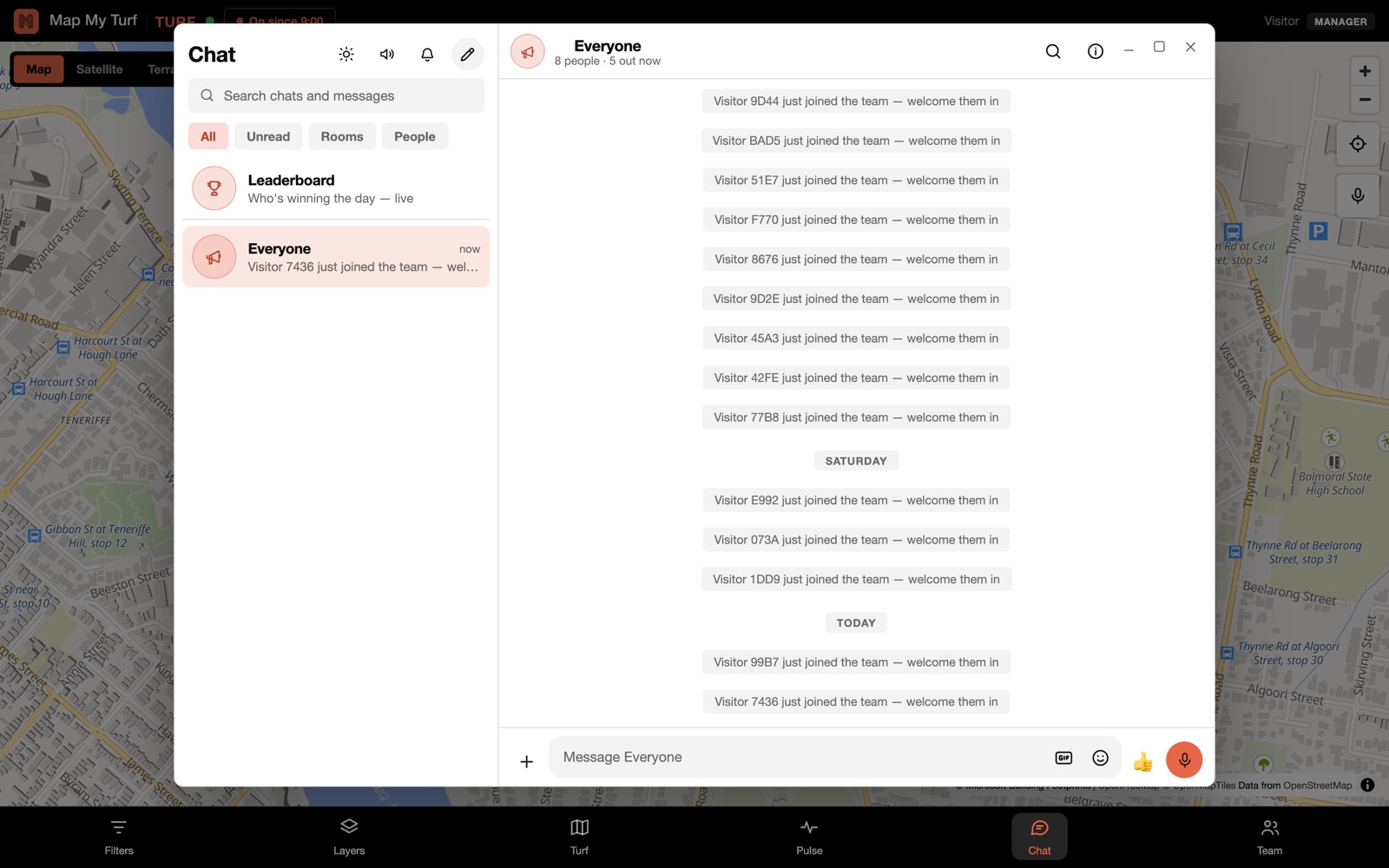
Direct messages, group chats and a room for everyone — with replies, reactions, photos, GIFs, voice notes, documents, polls and one-to-one voice calls. It works the way the app on your phone already works, so nobody needs training.
- ✓Read receipts and typing dots — one tick sent, two ticks seen.
- ✓Search every chat at once — find that address from last Tuesday.
- ✓Themes and wallpapers — light, dark, and a look per room.
Sales land in the chat the second they happen
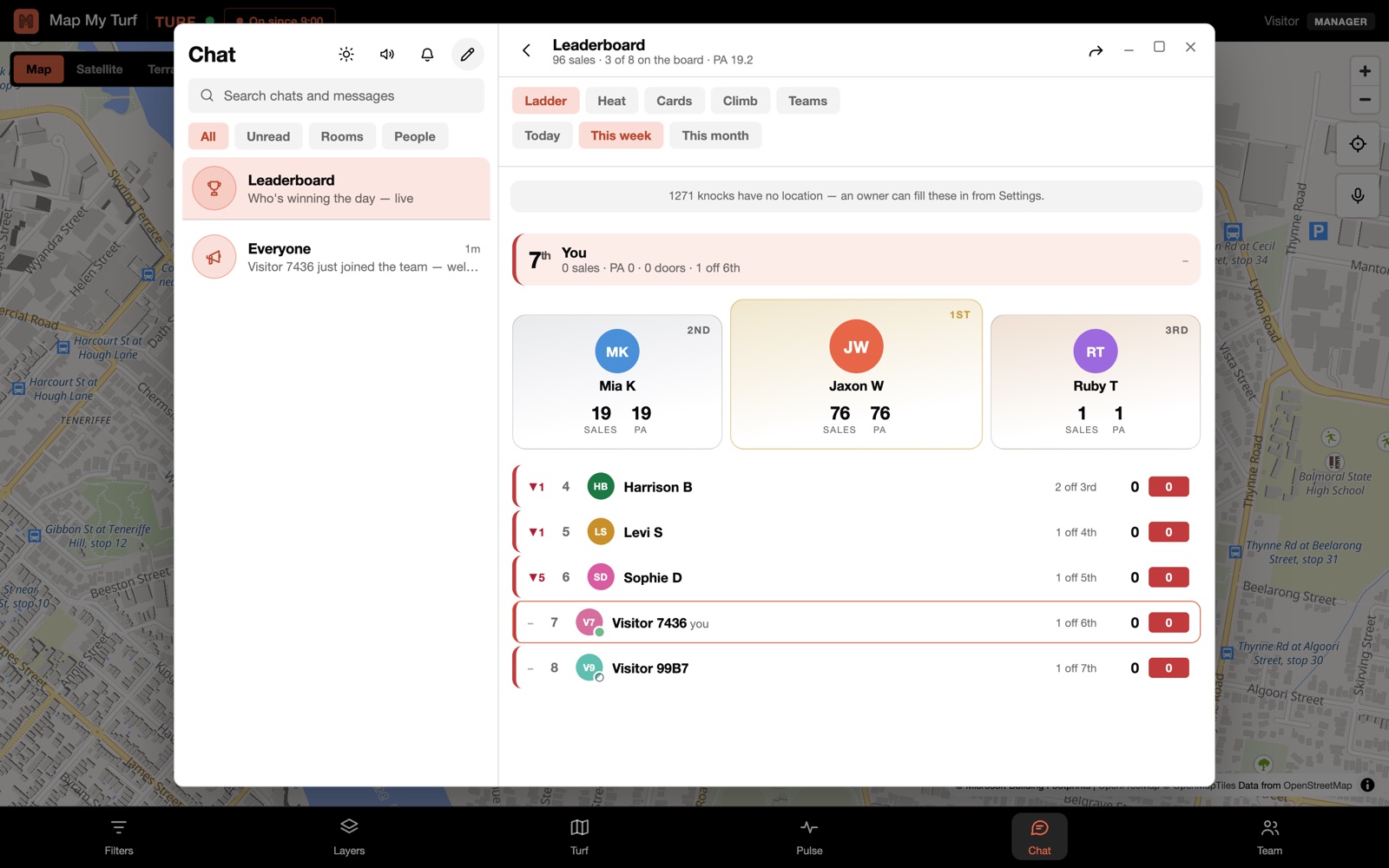
Close a door and the room knows — the sale posts itself, the leaderboard updates, and the week's top seller keeps the crown. The energy of a good day stops living in one rep's head and becomes the thing the whole crew can see.
- ✓Five ways to read the board — ladder, heat, cards, climb, team standings.
- ✓Filter by team, company or suburb — and post the result straight into a chat.
Run a competition off real sales
Set a target and a reward, and the bot tracks it live off the knocks themselves — no tally on a whiteboard. Four ways to run one: a timed window, "$20 each for the next five", a dollar target, or a plain sales milestone.
Notifications that don't get muted on day one
The everyone-room only buzzes you when someone actually says your name, bot cards never buzz at all, and a run of messages arrives as one notification instead of six. Quiet hours are on by default, and every room can be set to everything, mentions only, or nothing — with a timer, so "mute for the afternoon" doesn't need remembering to undo.
Make it yours
Your brand on the front door.
White-label, properly
Your name, your colours, your logo — across the whole app, at your own web address. Your crew signs into your tool; Map My Turf just runs the engine underneath. Subcontractors work inside your brand too, so the knock history stays yours.
Knocking for businesses too
Flip a campaign to Businesses and the engine counts premises instead of homes — shops, offices, industrial units — and cuts business-district turf the same fair way. B2B crews get the same map, pointed at the right doors.
On a phone, properly
Map My Turf runs in any browser today and installs to the home screen like an app. A native iPhone app is on its way to the App Store — with background location while on the clock, so the dot keeps moving with the phone in a pocket.
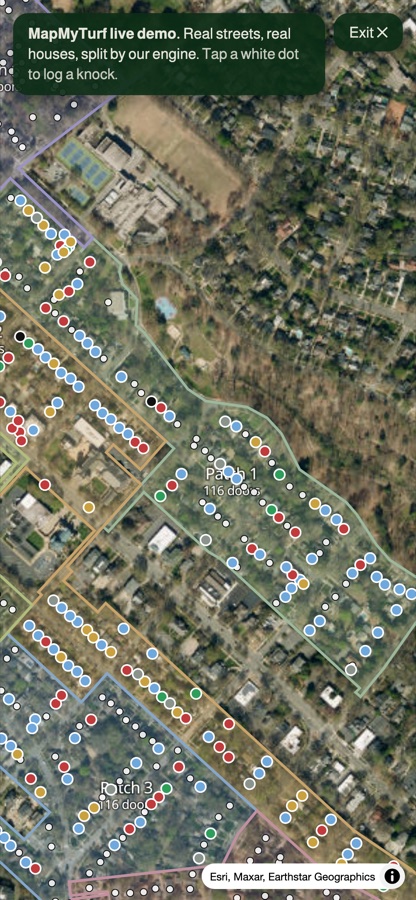
The demo says it better.
Tap a door, log a knock, watch the patch fill in — on a real neighbourhood, right now.